
Château fort · Örebro Municipality, Suède
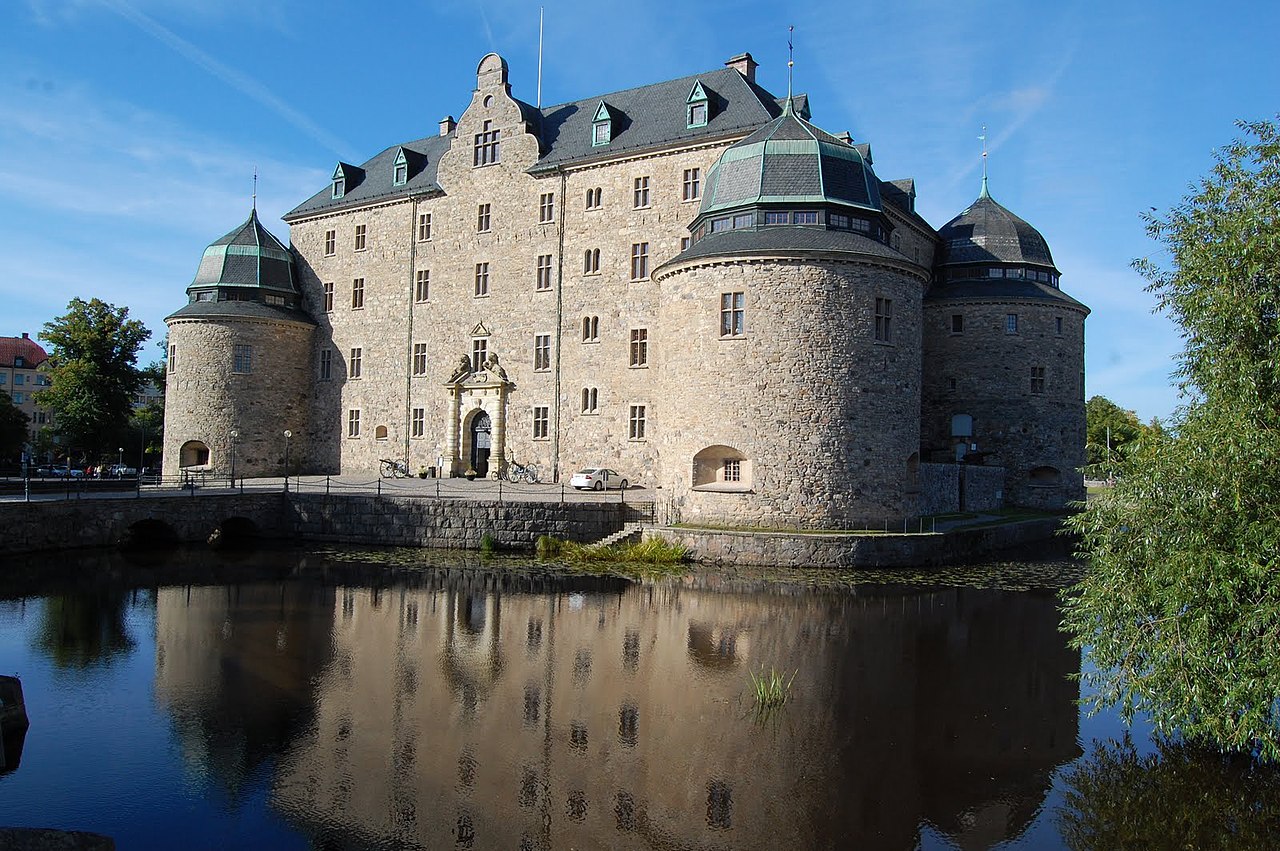
Örebro Castle
Medieval fortification at Svartån in Örebro County, Sweden
Aidez à compléter cette fiche
1 sur 5- Photos des visiteurs Aucun visiteur ne l'a encore photographié : soyez le premier et gagnez le badge Pionnier Envoyer +22
- Horaires d'ouverture Ajouter +5
- Prix des billets Ajouter +5
- Comment y aller Ajouter +5
- Ouvert ou fermé ? Visite récente
Cet article n'est pas encore disponible en français. Voici la version anglaise.


Örebro Castle (Swedish: Örebro slott) is a medieval castle on the Svartån in Örebro, Sweden. The castle was expanded during the rule of the House of Vasa and was extensively rebuilt around 1900.
History
The castle lies on an island in the river Svartån. The name of Örebro comes from the small stones ("ör") that the river transports. The second part of the word comes from the bridge ("bro").
The oldest part of the castle, a defence tower, was erected in the latter half of the 13th century. It was probably built during the reign of King Magnus IV of Sweden (1316–1374). In 1364, Albrecht von Mecklenburg (ca 1340–1412) captured a fortress in Örebro. That was probably a predecessor of today's castle, which was built on the small island within the Svartå river. The fortress is supposed to have consisted of a defence tower with a surrounding wall. The tower was added to in the 14th century to make a larger stronghold. Under King Charles IX of Sweden (1550–1611), the fortress was rebuilt into a Renaissance castle. Since 1764, the castle has served as the residence of the governor of Örebro County.
Texte issu de l'article Wikipédia Örebro Castle, par ses auteurs, disponible sous licence CC BY-SA 4.0.
Photos des visiteurs
Pas encore de photos. Vous avez visité ce château ? Soyez le premier !
Commentaires
Aucun commentaire pour l'instant.