
Castle · Mito, Japan
Mito Castle
Japanese castle located in Mito, Ibaraki Prefecture
Help complete this page
0 of 5- Visitor photos No visitor has photographed it yet: be the first and earn the Pioneer badge Upload +22
- Opening times Add +5
- Ticket prices Add +5
- How to get there Add +5
- Open or closed? Recent visit Was it open when you went? Tell us (if you have visited it)
Mito Castle was a 12th-century Japanese castle with an extensive history, now in ruins, located in what was Hitachi Province. The castle ruins are located in the city of Mito, Ibaraki Prefecture, Japan.
History
The castle was originally constructed in 1214 by Baba Sukemoto. This clan continued the rule of the castle, until it was taken in 1416 by Edo Michifusa. It was originally named Baba castle, however after it was taken by the Edo clan, it was expanded and given its present name.
During the Edo Era the castle was held by the Mito branch of the Tokugawa clan, one of the Gosanke, three branch families of the Tokugawa that could provide an heir if necessary. The Mito branch was founded by Yorifusa Tokugawa, the 11th son of Ieyasu Tokugawa, the first Tokugawa shōgun. The proximity of Mito to Edo meant that the Mito branch of the family was influential throughout the Edo era.
A large fire destroyed many of the buildings in 1764. The castle was decommissioned, as were many castles in Japan, during the Meiji period.
Current site
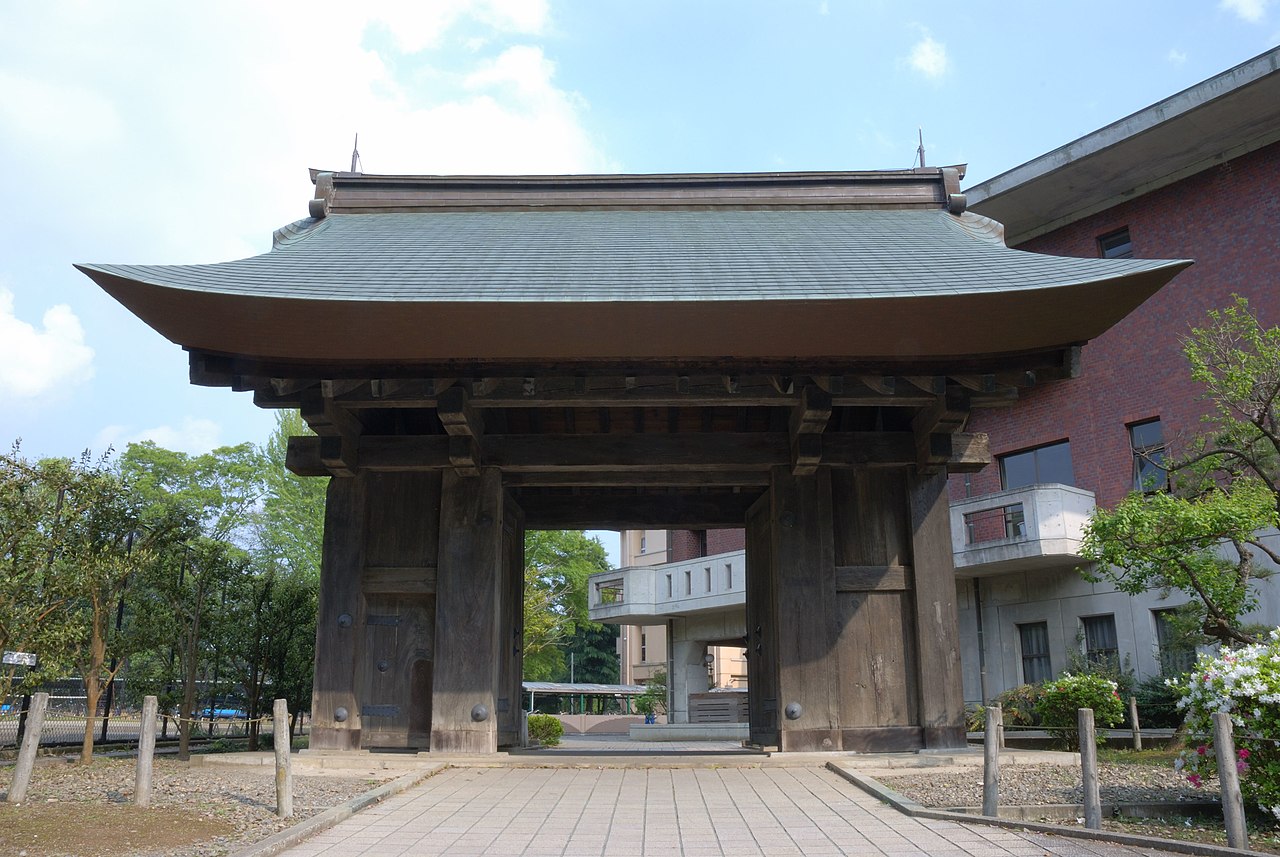
Little of the Castle now remains, except moats, one gate and the Kodokan, a school that was located in front of the castle. There are several modern schools located on the castle's former site, which have gates and fences done in the style of a castle.
Literature
- Schmorleitz, Morton S. (1974). Castles in Japan. Tokyo: Charles E. Tuttle Co. pp. 144–145. ISBN 0-8048-1102-4.
- De Lange, William (2021). An Encyclopedia of Japanese Castles. Groningen: Toyo Press. p. 600. ISBN 978-9492722300.
Text from the Wikipedia article Mito Castle, by its authors, available under the CC BY-SA 4.0 license.
Visitors' photos
No photos yet. Have you visited this castle? Be the first!
Comments
No comments yet.